Research and results
What is on the Keywords tab?
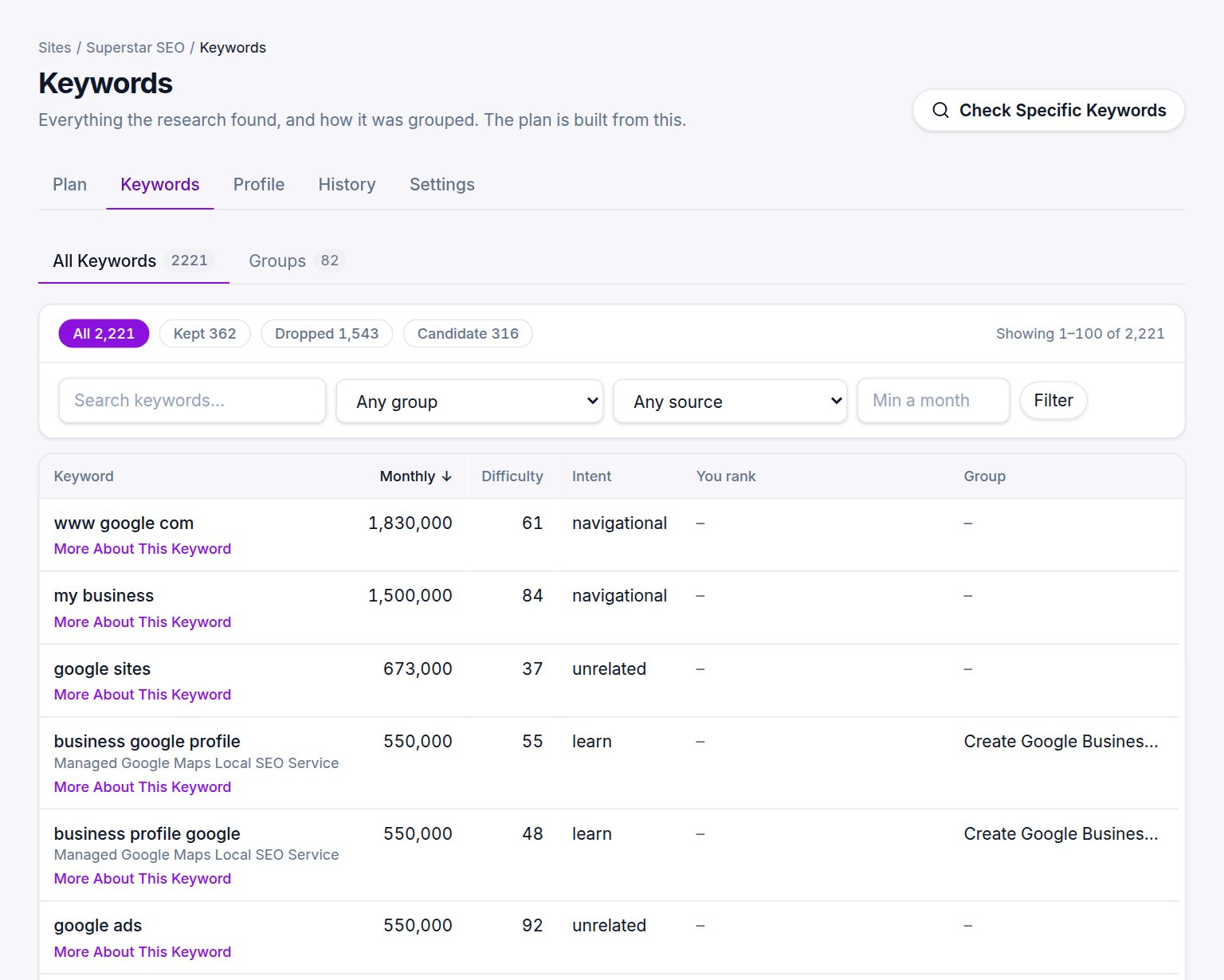
The keywords kept for your plan first, with volume, difficulty, intent, where each came from and your current position. One click shows what was set aside and why.
Last updated Oct 25, 2026, 12:00 AM
The columns
- Keyword with the reason it was kept or dropped underneath, and which of your offerings it maps to.
- Volume. Monthly searches in your market, with a twelve-month sparkline where the database has it.
- CPC. What advertisers pay Google per click on that search, on wider screens. Useful for Google Ads and as a buyer signal.
- Difficulty. How hard the top ten is to break into, 0 to 100.
- Intent. Buy, compare, learn, fix, navigational or unrelated.
- Position. Where your site currently ranks, if it does, and with which page.
- Group. The cluster the keyword belongs to.
- Source. Where it came from: keyword database, your own rankings, a competitor, or customer language.
What opens first
The tab opens on the Kept keywords: the searches judged to come from people who could become your customers, which the plan is built from.
The research also finds many phrases that are not for you. A site that buys houses for cash also turns up "houses for sale" and "zillow", which have far more searches but come from buyers, not sellers. Those are set aside, never deleted. The line under the chips says how many there are and why, with a link to see them.
Filtering
The chips switch between Kept, Dropped, Not judged and All. A kept keyword the grouping did not reach shows as Kept, not grouped; tick those rows and press Check Ticked Keywords to research them on their own (5 credits a keyword). Sorting by You rank shows everything you rank for, kept or not. The toolbar filters by text, group, source and a minimum monthly volume; active filters show as chips you can remove one by one. A search on the Kept view says when more matches sit among the phrases set aside.
The Groups view
Switch to Groups to see the clusters instead of individual keywords: each group with its name, the underlying need, its total volume, its verdict and its decision. See What is the Groups view?.
Exporting
Export and Share on the plan gives you the whole table as a CSV, plus a Google Ads Editor file. See How do I export the keywords?.
Older runs
The tab shows the latest run. Use the run picker on the plan, or the History tab, to look at an earlier one.
During a trial
While a trial plan is locked, this tab shows only the keywords of the revealed decision, with a note saying how many keywords and groups are waiting. The full table opens with your plan.
Was this helpful?
Still stuck?
Tell us what you were trying to do and which site or page it concerns. A person replies from help@legiit.com, usually within one business day.