Research and results
What is on a page in the plan?
The decision in full, the demand, the opening and whether you can win it, each with its evidence, then what the page must deliver, the brief, open questions, the work involved and the button to write the draft.
Last updated Sep 22, 2026, 12:00 AM
Click any row of the plan to open its page.
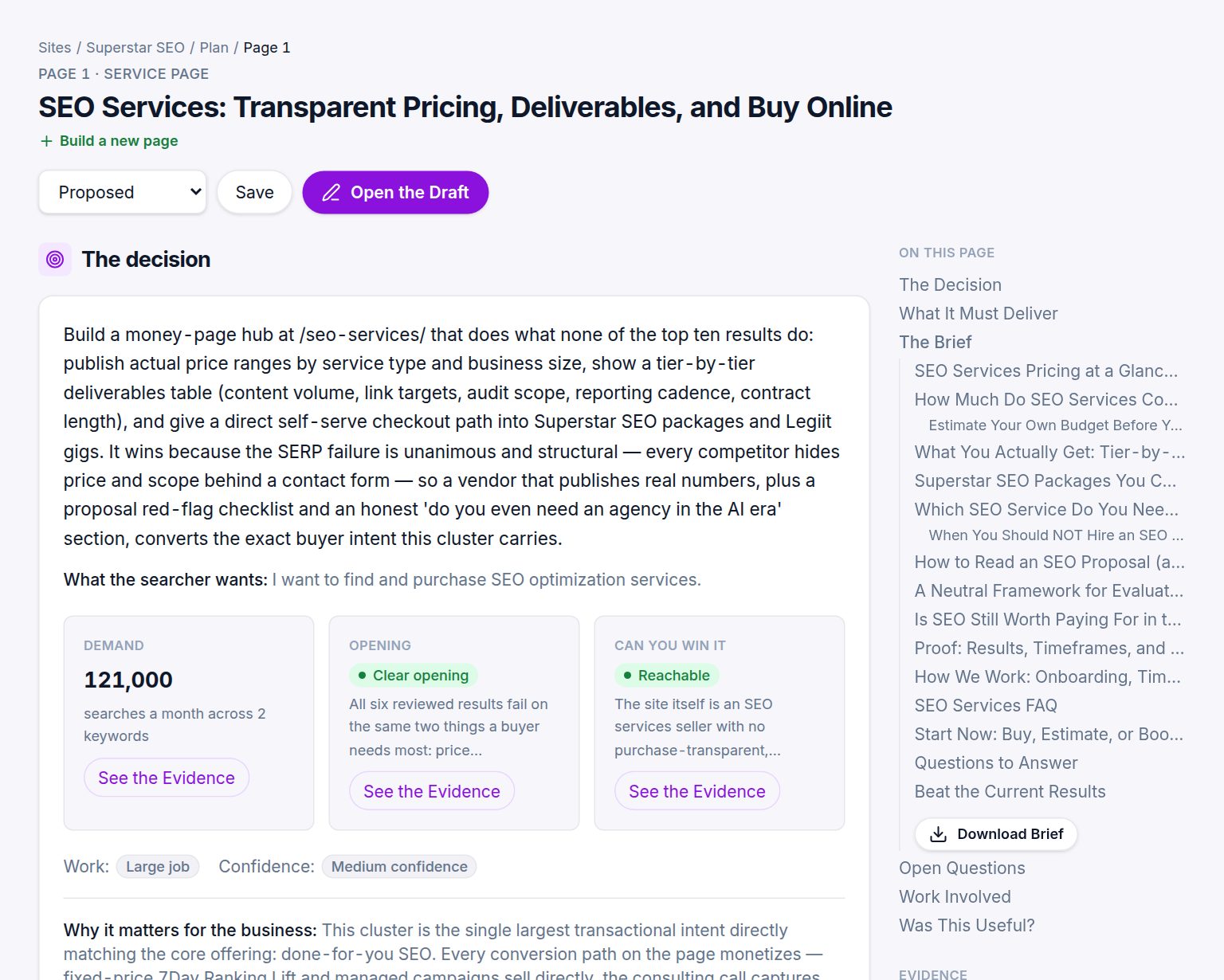
Top to bottom
- The action and title, with a status you can set and save to track the work: Proposed, and the other states in the dropdown.
- The decision. What to build and why it wins, in a paragraph, then What the searcher wants in their words.
- Three cards. Demand (searches a month across the group), Opening (the verdict) and Can you win it (reachability). Each has See the Evidence, which opens the records behind it.
- Work size and Confidence.
- Why it matters for the business. The commercial reason, tied to how the business makes money.
- What it must deliver. The list of things the page needs to beat the current results, taken from the gaps.
- The brief. The full brief inline: title, meta description, keywords, audience, angle, outline, questions, what to beat, internal links, word count. See What is in a brief?.
- Open questions only you can answer, and the experiment to run first when confidence is low.
- Work involved. The jobs the page needs, each linked to the matching Legiit service category.
- Was this useful? A quick rating that tells us where the research fell short.
- Evidence. Every record the page relied on: the live results, the page reviews with quotes, the backlink observations and the keyword metrics.
The buttons
Write the Draft (25 credits) writes the full page from the brief and the research. Once a draft exists the button becomes Open the Draft. Download Brief on the contents rail saves the brief as Markdown.
Was this helpful?
Still stuck?
Tell us what you were trying to do and which site or page it concerns. A person replies from help@legiit.com, usually within one business day.