Research and results
How do I open the evidence behind a decision?
Press See the Evidence under any of the three cards on a page, or scroll to the Evidence section at the bottom. Every record the decision used is there.
Last updated Sep 22, 2026, 12:00 AM
The three cards
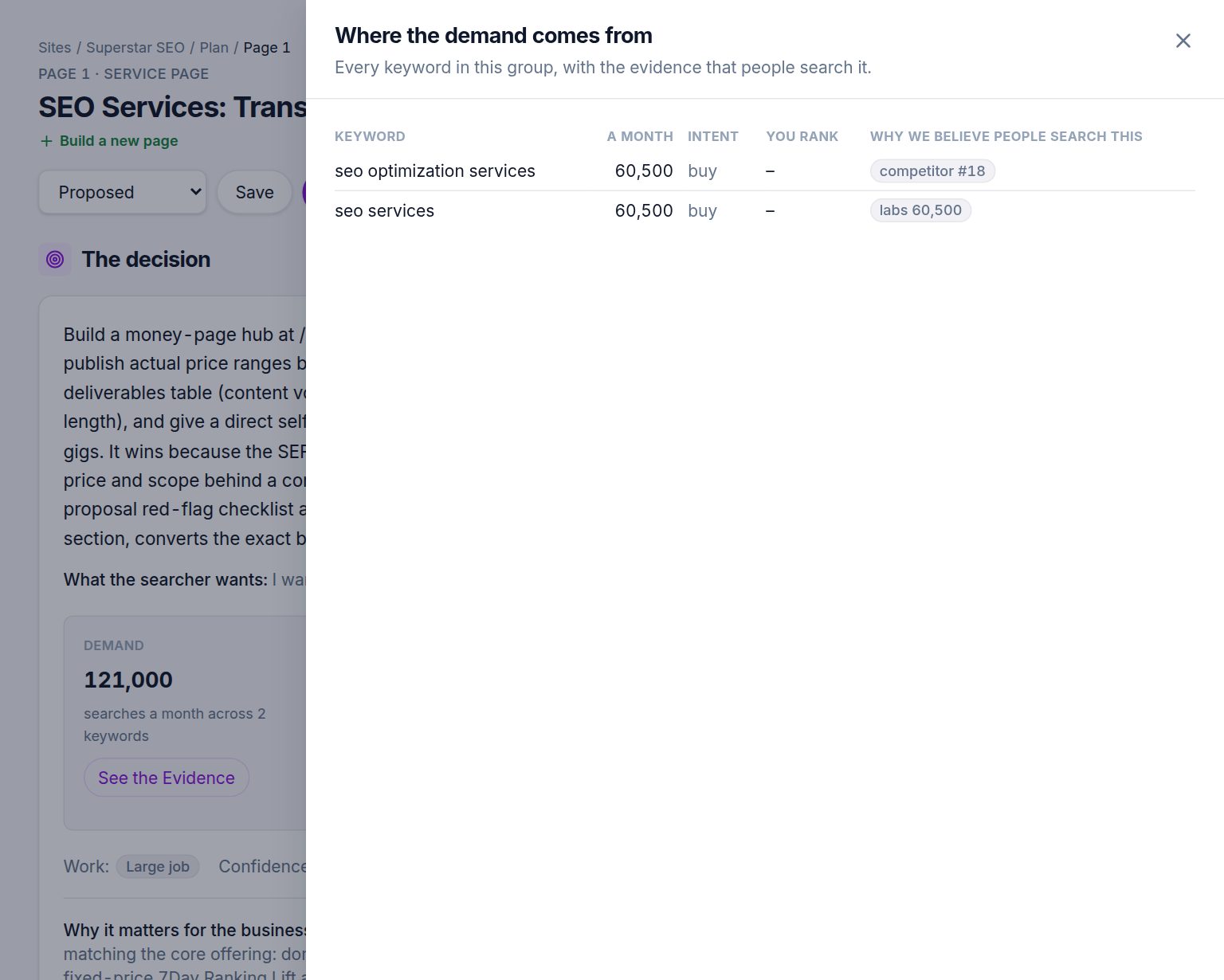
- Demand opens every keyword in the group with its monthly volume, its intent, whether you already rank for it, and the reason we believe people search it: a database volume, a competitor ranking, your own ranking, or a quoted customer discussion.
- Opening opens the live results the verdict rests on: the top pages with their position, the search features present, the People Also Ask questions, and the review of each page with what it delivers, where it fails and verbatim quotes.
- Can you win it opens the feasibility observations: your domain's strength, the strength of each domain in the top ten, the keyword difficulty, and whether you already have a page, each with its value and source.
The Evidence section
At the bottom of every page, the same records are listed in full, grouped by kind: the results snapshot, page excerpts, backlink figures, keyword metrics and customer quotes. Each has the URL it came from and the date it was fetched.
Reading a quote
Quotes from ranking pages are copied character for character from the page as fetched on the day of the run. A quote that could not be found in the page text was discarded before you saw it. Pages change, so a quote may no longer be on the live page; the snapshot is what the research judged.
Was this helpful?
Still stuck?
Tell us what you were trying to do and which site or page it concerns. A person replies from help@legiit.com, usually within one business day.