Getting started
How do I start the analysis?
With the profile confirmed, press Start Research, choose Standard or Deep, and confirm. It runs on its own for 15 to 25 minutes and emails you when done.
Last updated Sep 23, 2026, 12:00 AM
- On the site page, press Start Research (it is also the third step of the getting-started checklist).
- Choose How deep: Standard, 12 groups of keywords for 100 credits, or Deep, 30 groups for 200. See What is a deep analysis?.
- Press Start Research and confirm. Credits are charged now and returned if the run fails on our side.
- The run page opens with the stages and the minutes left. You can close it; we email you when it finishes.
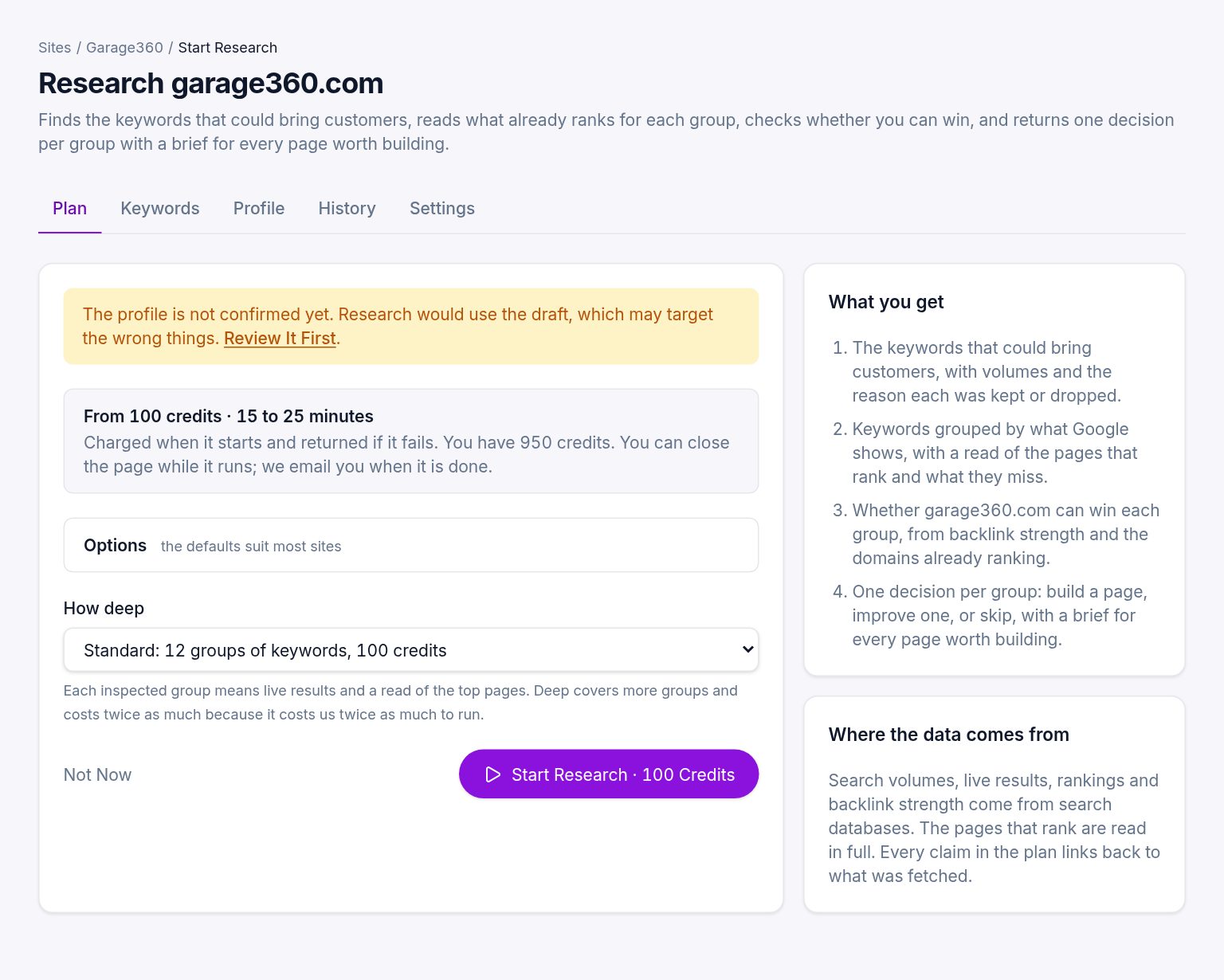
Options
Open Options to adjust:
- Extra topics. Comma-separated phrases added to the profile's topics, for things you sell that the site does not say much about.
- Competitor gap. Keywords that comparable sites rank for and you do not. On by default. Competitors are picked automatically and can be edited on the site's Settings tab.
- Customer language. Phrases people use in forum discussions, checked against search volume. On by default.
The defaults suit most sites.
If you have no credits
The screen shows the price and a Buy for $29 button instead of the form. Pay on Stripe and you come straight back here with the credits added.
On a trial plan, the locked decisions open when your plan starts, or at once with Start Pro Now and Unlock under them. A one-off purchase of $29 opens them too.
One run at a time
A site can have one research run in progress. Wait for it to finish, or stop it from the run page, before starting another.
Was this helpful?
Still stuck?
Tell us what you were trying to do and which site or page it concerns. A person replies from help@legiit.com, usually within one business day.