Getting started
How do I read my plan?
The plan lists every keyword group worth acting on, ranked, with the action, the demand, the opening and whether you can reach it. Open a row for the decision, the evidence and the brief.
Last updated Sep 23, 2026, 12:00 AM
When a run finishes, the site's Plan tab shows the headline and one row per keyword group.
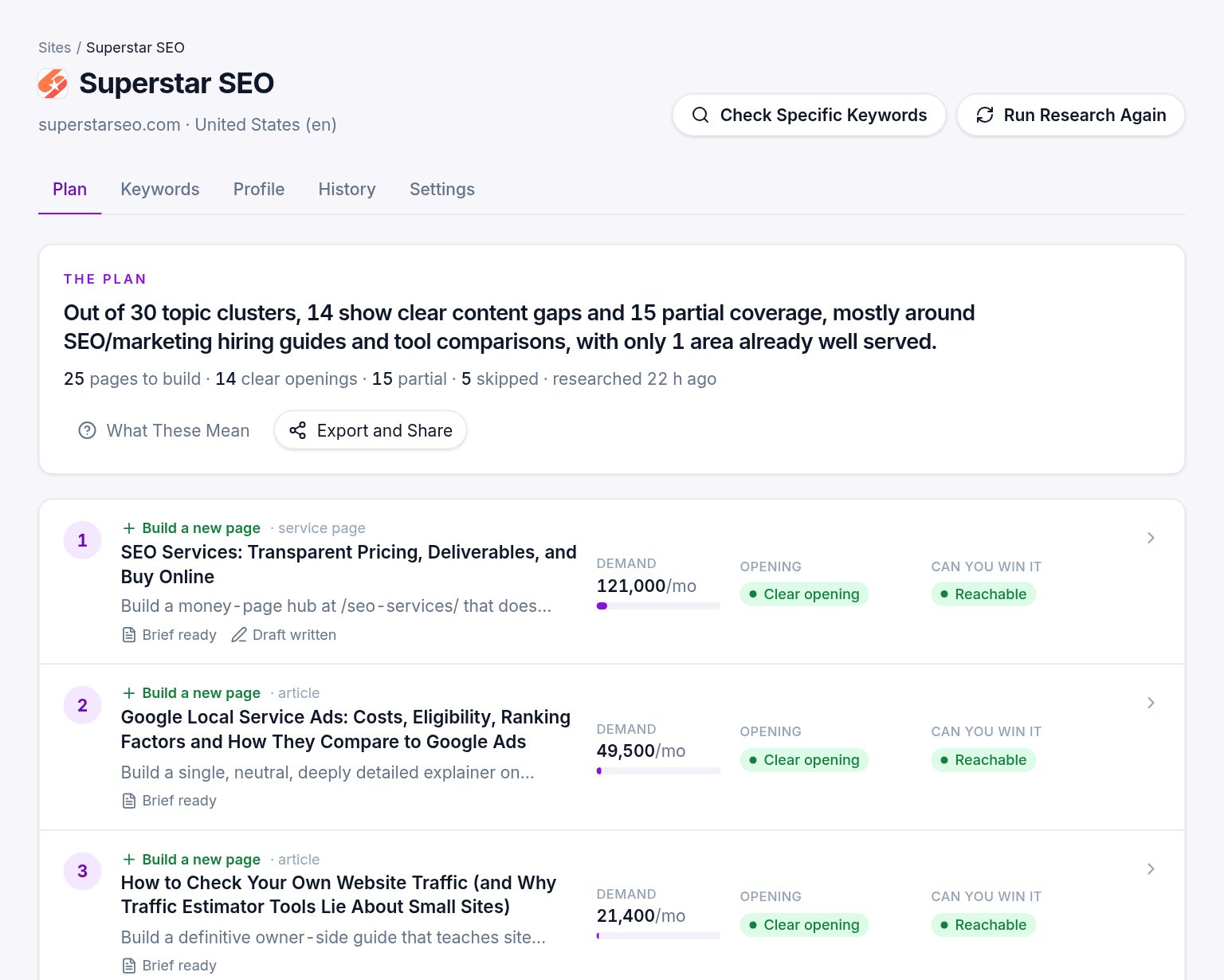
Reading a row
- Rank. Where the page sits in the order we suggest doing them, from a mix of demand, the size of the opening and how reachable it is.
- Action. Build a new page, improve an existing one, or skip. See What do build, improve and skip mean?.
- Title. A working title for the page, and its type: article, service page, collection, comparison, tool and so on.
- Demand. The monthly searches across the whole group, with a bar for comparison.
- Verdict. Clear opening, partial opening or well served: how well the current results serve the searcher. See What do the verdicts mean?.
- Reachable. Whether your site can realistically rank, given its strength and what already ranks.
Skipped groups sit at the bottom with the reason, so you can see what was considered.
Opening a page
Click a row. The page view has the decision in full, what the page must contain, the work involved, the evidence behind every claim, the brief, and the button to write the draft. See What is on a page?.
If the plan is locked
During the $1 trial the research runs in full, but the plan shows one decision open and the rest locked. Each locked row still shows the group's name, monthly searches, keyword count and its three verdicts, so you can see what is waiting. The title, the pages we read, the evidence and the brief open when your plan starts, or at once with Start Pro Now and Unlock (or Agency) under the list. Buying the site's plan once for $29 opens them too. While locked, the Keywords tab shows only the revealed decision's keywords, and exports and share links are off. See What is the $1 trial?.
The other tabs
- Keywords. Every keyword found, with volume, difficulty, intent, where it came from and whether it was kept. Switch to Groups to see the clusters.
- Profile. What the research was built on.
- History. Every run for the site, with its cost.
- Settings. Market, brand terms, competitors, writing rules.
Explaining the labels
Press What the labels mean on the plan for a one-screen legend of every word and color used.
Was this helpful?
Still stuck?
Tell us what you were trying to do and which site or page it concerns. A person replies from help@legiit.com, usually within one business day.