Research and results
How do I check keywords I already have in mind?
Paste up to 50 keywords on the site's Check Keywords screen. Each gets the same inspection as a full analysis, at 5 credits a keyword.
Last updated Oct 9, 2026, 12:00 AM
Sometimes the keywords are not the question: a client sent a list, you brainstormed some, or you exported them from another tool. Check Specific Keywords on the site page skips the finding step and inspects what you paste.
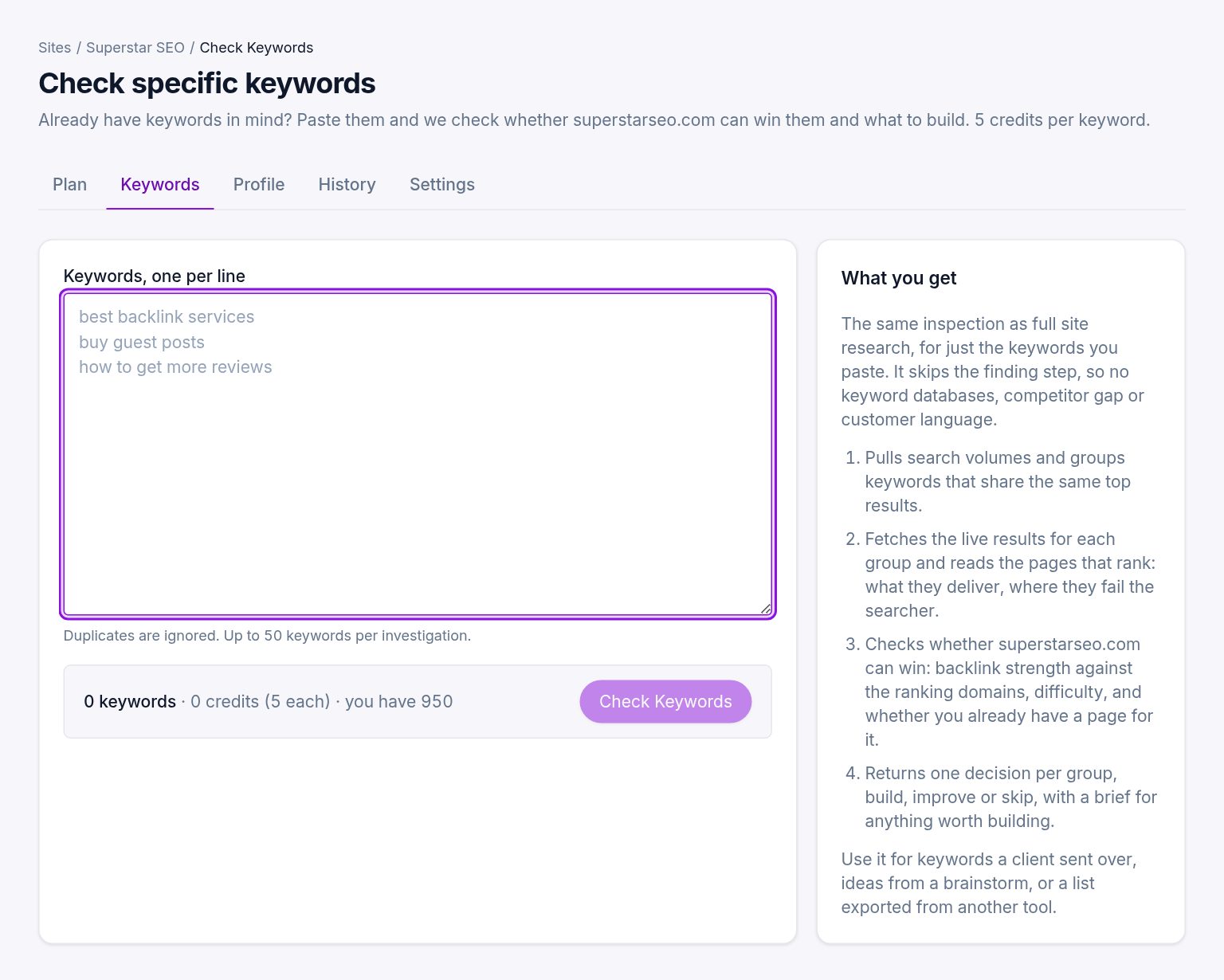
How it works
- Open the site and press Check Specific Keywords.
- Paste the keywords, one per line. Duplicates are ignored; up to 50 per check.
- The price shows as you type: 5 credits per keyword. Press Check.
The run pulls volumes, groups the keywords by shared results, fetches the live results for each group, reads the ranking pages, checks whether you can win, and returns a decision per group (not per keyword) with a brief for each group worth building, up to ten a run. It takes 10 to 15 minutes.
What it needs
A profile. If the site has none yet, the run builds one first, which is why the first check on a new site takes a few minutes longer.
Where the results go
The same place as a full analysis: the plan, with its own entry in History. Groups from a check and groups from a full run are separate plans.
Was this helpful?
Still stuck?
Tell us what you were trying to do and which site or page it concerns. A person replies from help@legiit.com, usually within one business day.